DrawingStampPro

Beta 2 is live
Overview
DrawingStamp Pro reads technical drawings, detects dimensions, tolerances, GD&T and surface specifications and places numbered inspection stamps automatically — turning a PDF or a scanned TIFF into an inspection plan in seconds.
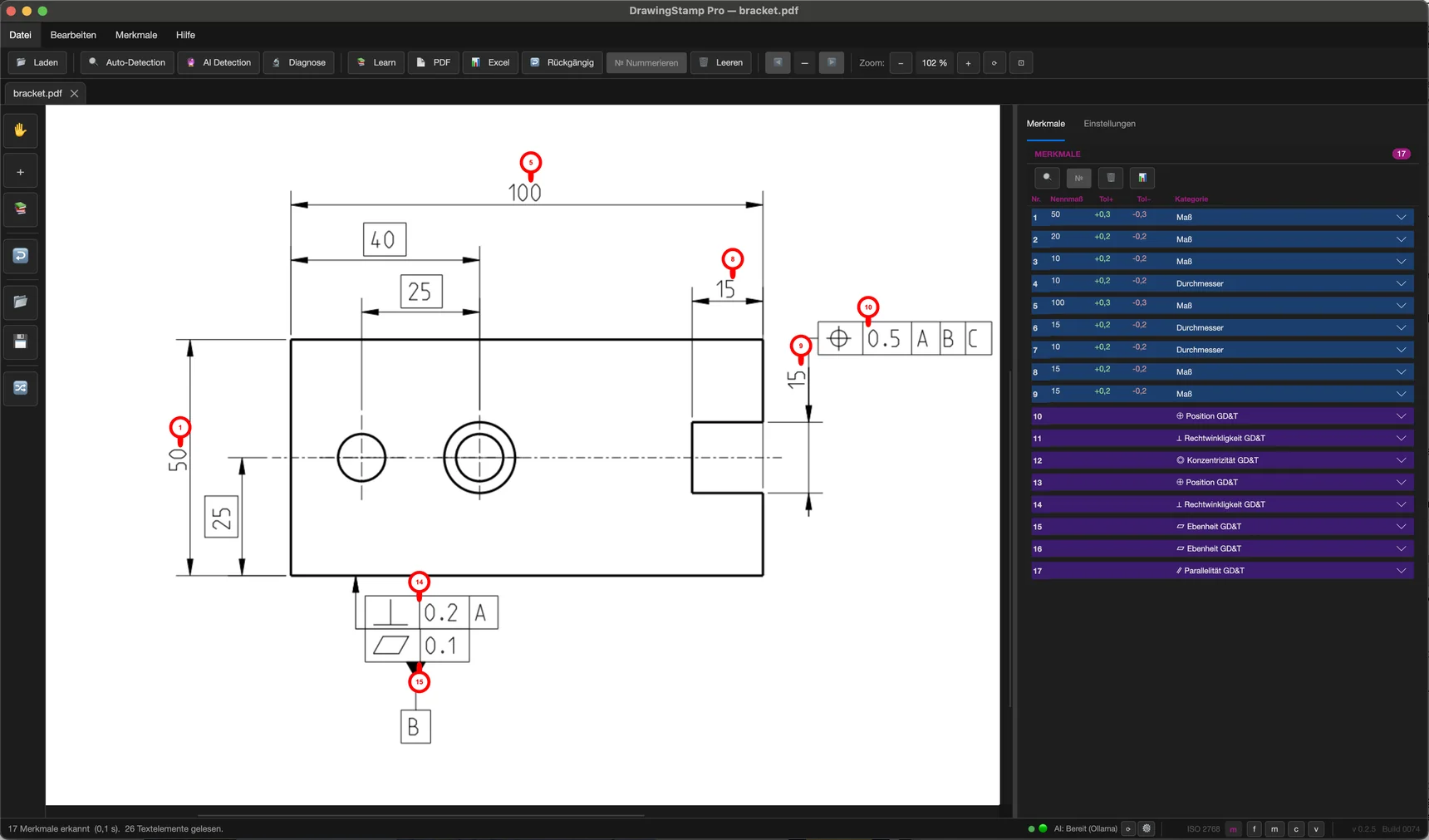
Detected automatically and numbered sequentially
Features
DrawingStamp Pro detects most of the inspection-relevant features automatically. You add the rest with two clicks; everything is numbered and exported.
Detection works most reliably on vector drawings from CAD. On scanned drawings it finds considerably less — the built-in text recognition helps there, but expect more manual work.
Detects dimensions, ISO tolerances, GD&T symbols and surface specifications directly in the vector PDF. DWG and DXF drawings can be imported as well.
Places sequentially numbered balloons directly into the document — cleanly positioned; overlaps are resolved automatically.
Proven, traceable pattern recognition at the core — augmented by optional AI and machine learning for the tricky cases. Detection runs entirely on your machine. The AI is local by default — only if you activate a cloud service with your own key are text excerpts sent there; the drawing itself never is. Running the AI locally calls for correspondingly capable hardware; the rule-based detection is fine on an ordinary office PC.
Scanned TIFF drawings without a text layer are prepared via OCR and stamped as well — expect more rework there than with drawings straight from CAD.
Exports the finished inspection plan as PDF and Excel — ready for First Article Inspection.
One application, no runtime, no server install — for Windows, macOS and Linux.
Mark up errors directly on the drawing — strike-outs, free text, arrows, shapes, revision clouds and numbered balloons, plus the symbols of the drawing standard itself: GD&T frames, datums, surface finish, theoretically exact dimensions and more. In red on a separate layer, kept apart from the inspection stamps.
Hand the detected inspection characteristics including tolerances to your coordinate measuring machine or CAQ software as a structured feature list — ready to import, without re-typing every dimension. It saves the most error-prone hour of inspection planning.
The detection is also available to build in: StampKit can be integrated into ERP, CAQ and metrology systems and licensed for it — locally, without a cloud.

Overlay two revisions of the same drawing: what was removed shows in red, what was added in green. Save the result as a PDF report – the answer to what changed between index B and C, without holding both sheets side by side.
How it works
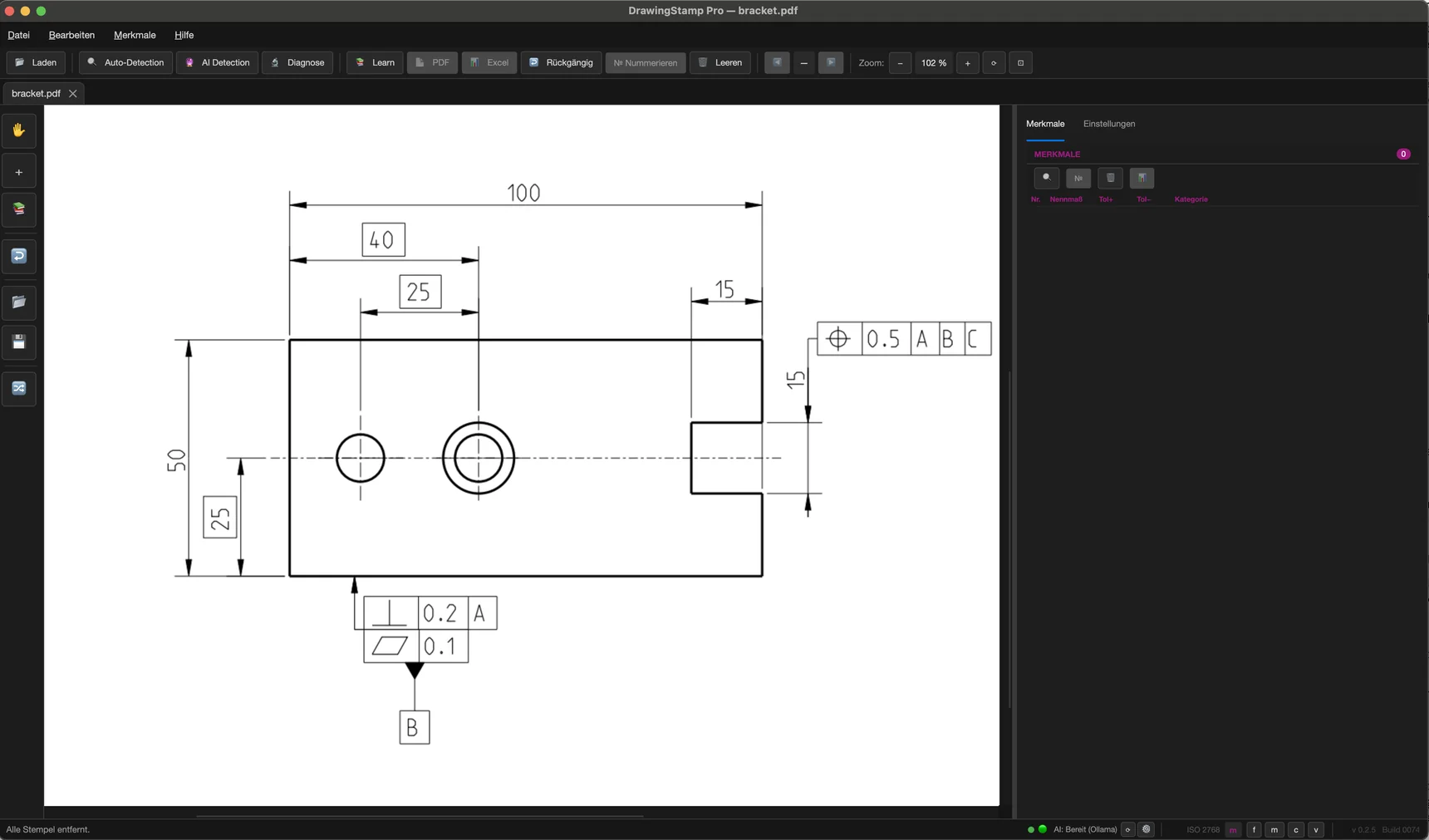
The same view, one click in between: the raw drawing becomes a fully stamped inspection template.
Corrections
Capture wrong dimensions, missing datums or change requests right on the drawing: strike-outs, free text, arrows, shapes, revision clouds and numbered balloons — plus the symbols of the drawing standard itself: GD&T frames, datums, surface finish to ISO 1302, envelope requirement, theoretically exact dimensions, dimension arrows and information stamps. All in red, on their own layer, cleanly separated from the automatic inspection stamps and adjustable any time with undo/redo.
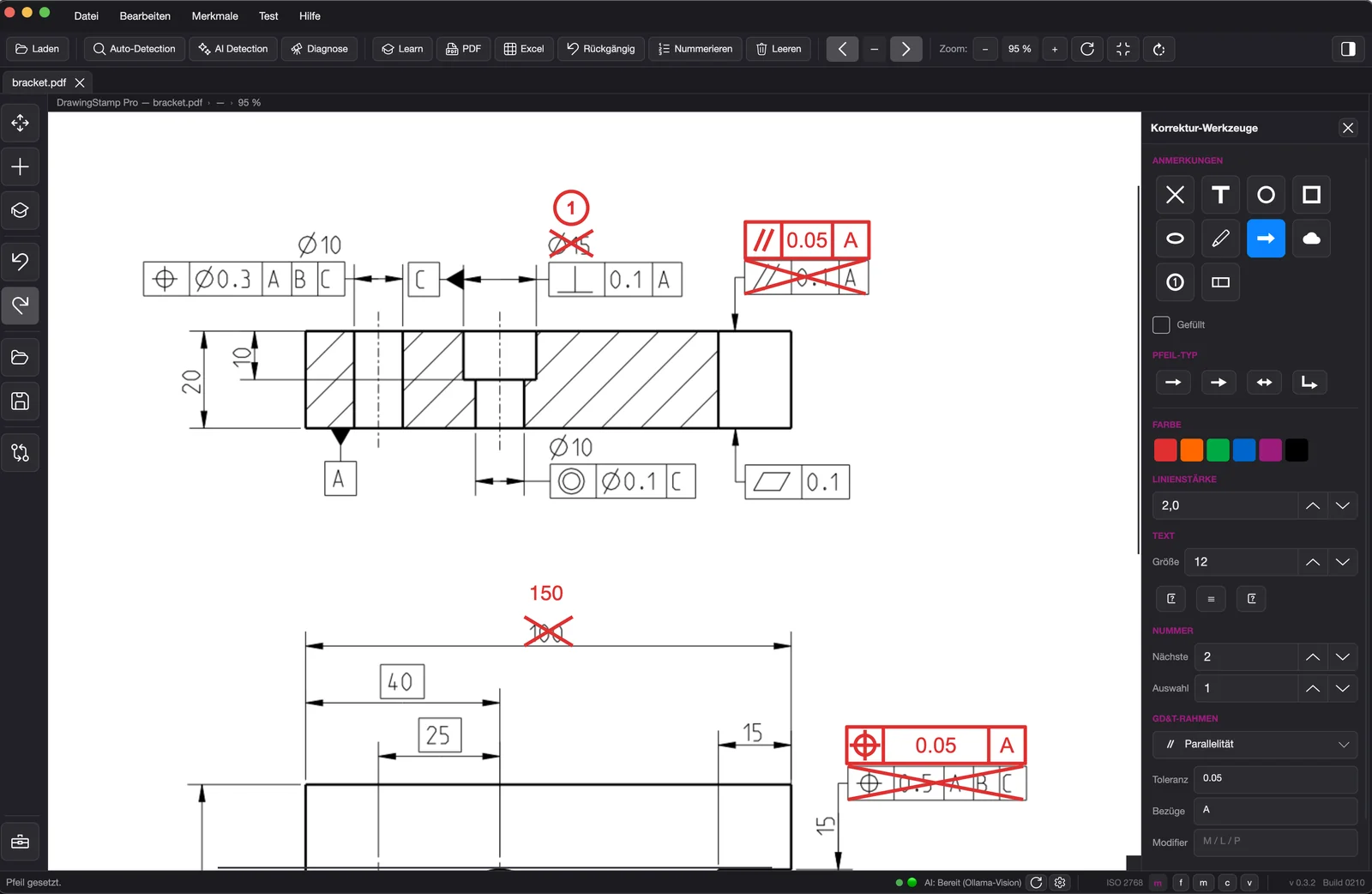
Correction tools: red annotations on their own layer.
Use case
Whether FAI, incoming inspection or production release — DrawingStamp Pro produces a numbered, traceable feature list. That saves hours of tedious manual work; the professional sign-off stays with you.
Confidentiality
Customer drawings are almost always covered by non-disclosure agreements. That is why DrawingStamp Pro is a desktop application without forced cloud: recognising and stamping happens entirely on your machine.
Only the update check and licensing go online. What is transmitted there is set out in the privacy notice — drawing content is not part of it.
Short paths
There is no sales department that would have to pass your feedback along. Whoever writes here writes to the developer — and what makes sense to implement is often in the very next update. Your licence receives it automatically through the built-in updater.
What that looks like in practice is on the blog: our partner RED-Drawing put the drawing markup through daily use and reported what was missing – and that is exactly what got built.
Beta
DrawingStamp Pro is already in daily use with beta users — Beta 1 is complete, Beta 2 has started and is still taking testers. Request your access and stamp your drawings at the push of a button.